Enter your product in COM Business Center once and list it on Amazon.com. Stock and prices sync automatically, orders land in your panel and tracking goes back to Amazon.
Knit Sweater Dress25 color and size options$39.00COM Business Center
Amazon.com$39.00
eBay$39.00
Etsy$39.00
Google Shopping$39.00
Your store$39.00
POSStock 25
QR menuStock 25
Bio Page$39.00
BookkeepingBooked
One product, one stock count, every channel
The difference
For Amazon and eBay you do not need to pay thousands
Multichannel selling software charges a monthly subscription and takes a cut of every sale on top. As sales grow, so does the bill. COM Business Center takes no cut of your sales.
The usual way
A subscription every month
A percentage of every sale
Setup and training fees
Plans that grow with products and orders
Costs rise as sales rise
COM Business Center
One plan, no surprise bills
No commission on your sales
No setup fee, panel in English and Spanish
Amazon, eBay and your store in one panel
You pay the same as sales grow
Three steps
Start selling on Amazon today
Without digging through Seller Central screens, from one simple panel.
1Connect Amazon
Press "Connect Amazon" and approve on Amazon's own page. No keys to copy.
2Match categories
Pick an Amazon product type once for each of your categories. Required fields are asked one by one.
3Select and send
Check the products that are ready and press "Send selected". Colors, sizes and photos go together.
In the panel
Everything Amazon needs in one place
Colors and sizes in one listing
A product with options becomes one Amazon listing, with stock and photos for every combination.
All photos
Photos of the product and of every color go to the listing together.
Amazon price rules
Use your store price on Amazon, or add a percentage difference or a product specific price.
Sync every 15 minutes
Stock and prices go out every 15 minutes; when the last item sells, it is sold out everywhere.
Orders in the panel
Amazon orders land next to your store orders, with the buyer name and address.
Shipping and tracking
Enter the tracking number and Amazon sees the order as shipped, or buy a label at Amazon's carrier rates.
FBA
Send your products to an Amazon warehouse and let Amazon pack and ship.
Product type search
Search for the right Amazon product type; the panel suggests one.
Secure connection
COM only reaches products, stock, prices and orders; never your payouts or your password.
Questions
Frequently asked questions
Do I need an Amazon seller account?
Yes. You need an Amazon.com seller account (Seller Central). You connect it from the panel in one click with the "Connect Amazon" button.
Which Amazon marketplace does it work with?
Amazon.com in the United States, selling in US dollars.
Can I set a different price on Amazon?
Yes. Your store price is used by default; you can add an Amazon specific percentage difference or a product specific price.
What if my product has no barcode?
A product without a UPC is sent with a GTIN exemption, which your brand needs to have approved on Amazon.
How often are stock and prices synced?
Every 15 minutes. If the same product sells in your store and on Amazon, it is sold out in both places when the last one sells.
Where do Amazon orders go?
To the Orders screen in your panel, with the buyer name and address. When you enter the tracking number, it goes to Amazon too.
Does COM take a commission on sales?
No. Apart from Amazon's own selling fees, nothing is taken from your sales.
One panelfor your whole business
Business software, rebuilt from scratch. Your turn.
Register, store, marketplaces, accounting and email in one panel.
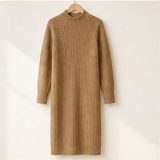 Knit Sweater Dress25 color and size options